


Table of Contents
Want to know if your ads are truly working? The BrightBid Audit gives you a clear, measurable way to assess campaign health and identify what’s holding performance back. It doesn’t just highlight issues—it explains where your budget is being wasted, how your assets are under-leveraged, and what to fix first. But here’s the twist: your total score is just the surface. What lies underneath it is where the real insight lives.
Read the full breakdown below.
Audit your ads for free
What Is the BrightBid Audit and Why Does It Matter?
Most advertisers run Google Ads blind—until something breaks. BrightBid’s Audit system changes that. It runs over 80+ checks across four critical categories:
- Account
- Campaign
- Ads & Assets
- Keywords
Each area receives a performance score. But unlike Google’s generic suggestions, BrightBid highlights risks, explains implications, and offers action items—mapped to best practices.
It’s not just a health check. It’s a growth blueprint.
What Your Total Score Actually Means
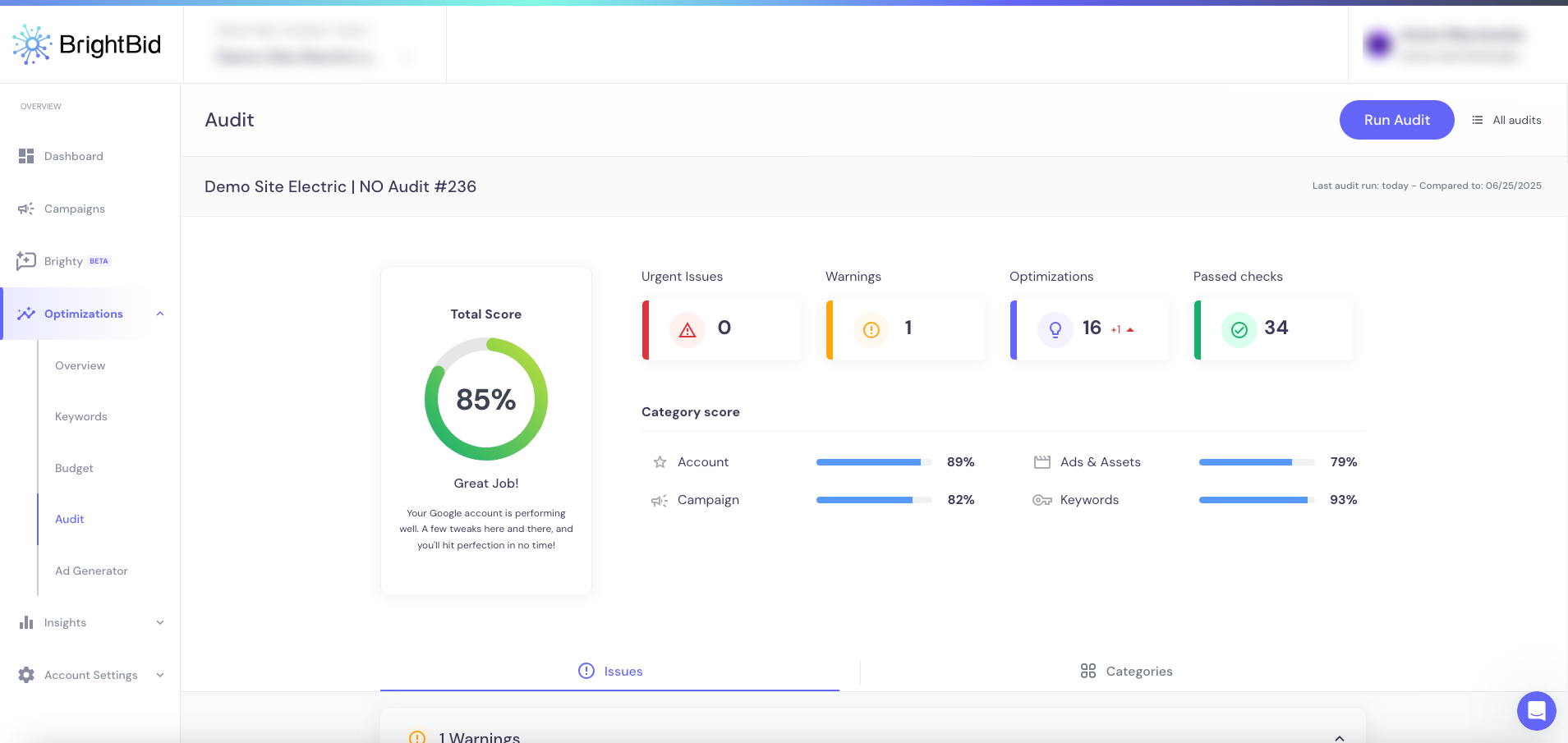
Total Score (shown as a percentage) reflects the combined quality of your account, assets, campaign structure, and targeting. It’s not arbitrary—it’s weighted based on impact:
- Urgent tracking errors pull scores down more than a missing image
- Keyword duplication matters less than a broken conversion setup
In a recent demo, we saw:
- 85% Total Score
- 0 Urgent Issues
- 1 Warning
- 16 Optimizations pending
- 34 Passed checks
Takeaway: A high score doesn’t mean “perfect”—it means “ready to scale if optimized.”
Breaking Down Each Audit Score (and What to Fix)
Account Score (e.g. 89%)
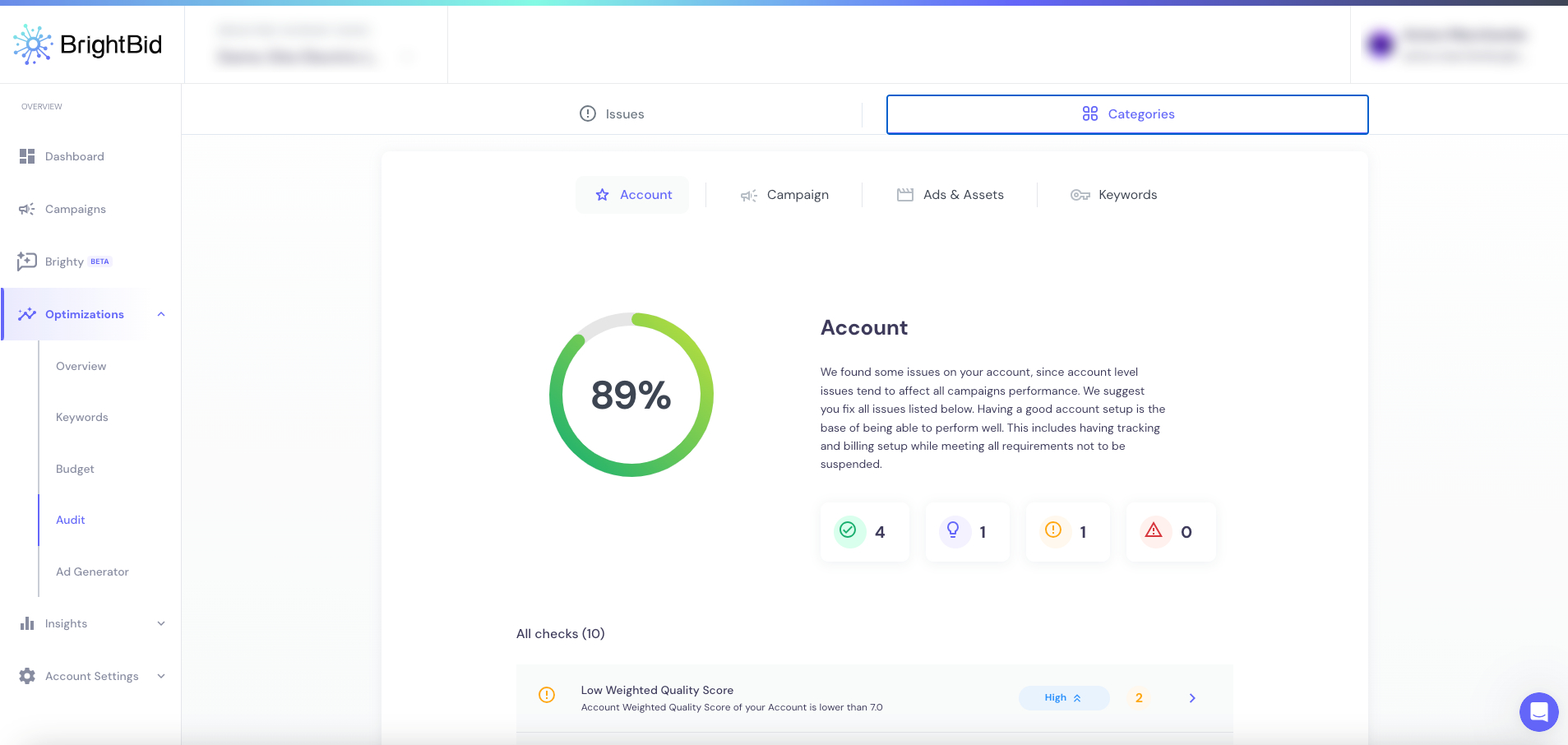
This measures foundational setup: billing, tracking, quality score, and account structure.
Common issues:
- Low Weighted Quality Score
- Missing Ad Variations
- Conversion Tracking Down (primary or secondary)
Fix these first—they affect everything else.
Campaign Score (e.g. 82%)
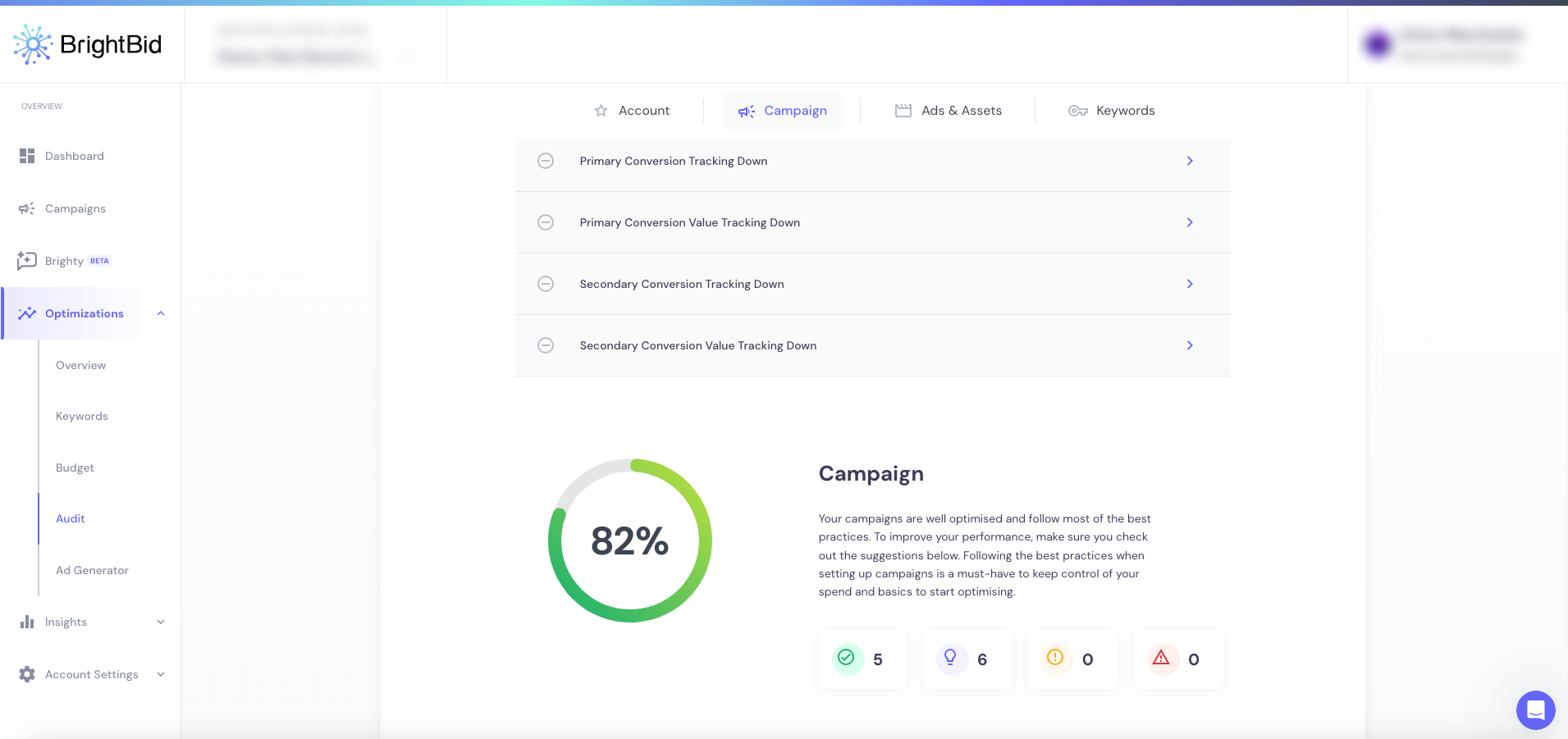
Focuses on bidding strategies, budget efficiency, and conversion setup.
Look out for:
- Automated bidding without Max CPC
- Conversions without target CPA
- Multiple conversion actions muddling optimization
- Search Impression Share lost to budget
Tip: If your campaigns lack direction, your spend lacks focus.
Ads & Assets Score (e.g. 79%)
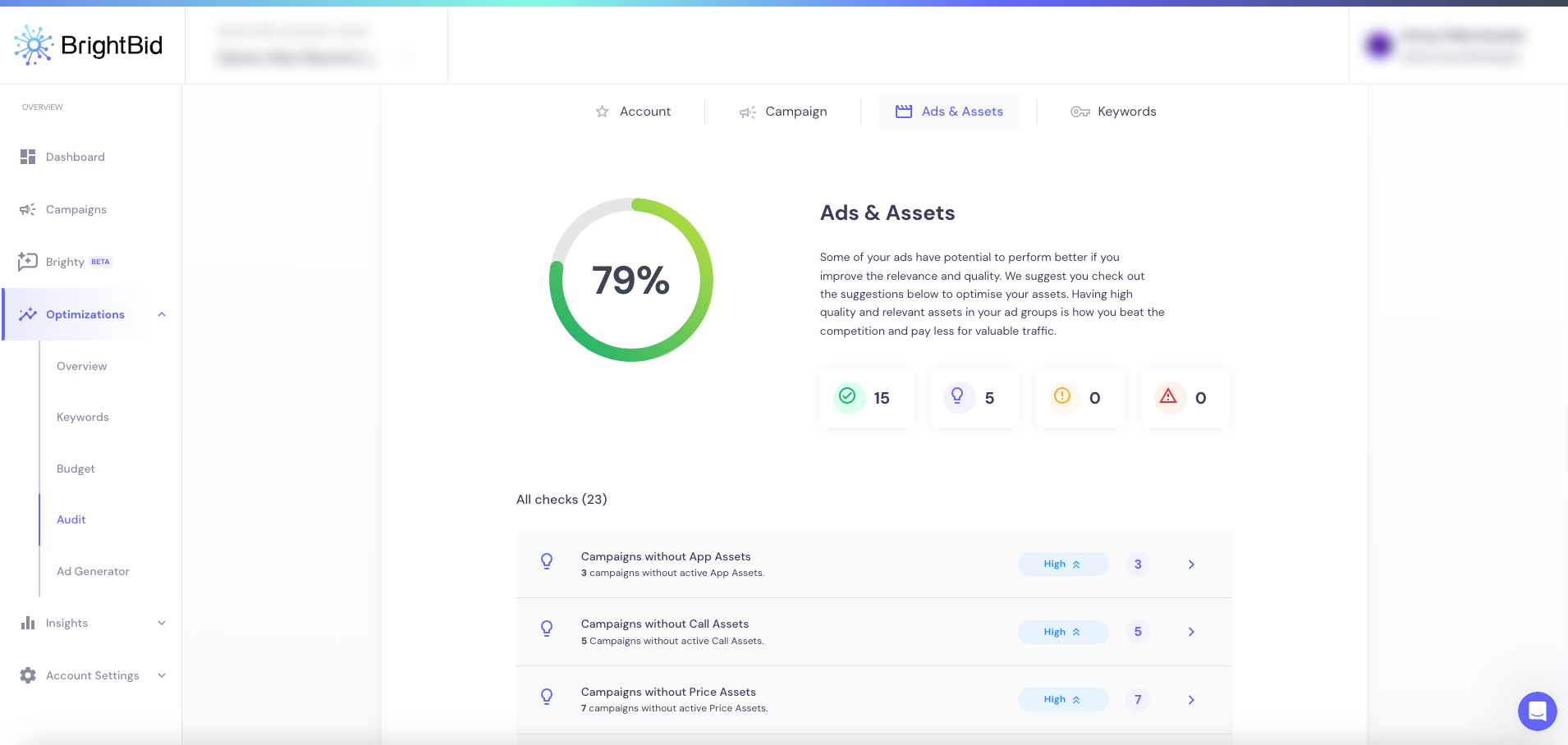
Evaluates the presence, relevance, and approval status of your creative assets.
What most audits ignore:
- How many campaigns are running without callouts, images, or sitelinks
- Whether ads are approved but underperforming due to structure
Issues found:
- Disapproved Call/Price/Promotion Assets
- Low RSA strength
- Ad Groups with no active assets
Fixing your assets isn’t just a formality—it’s a lever for ad rank and CPC.
Keywords Score (e.g. 93%)
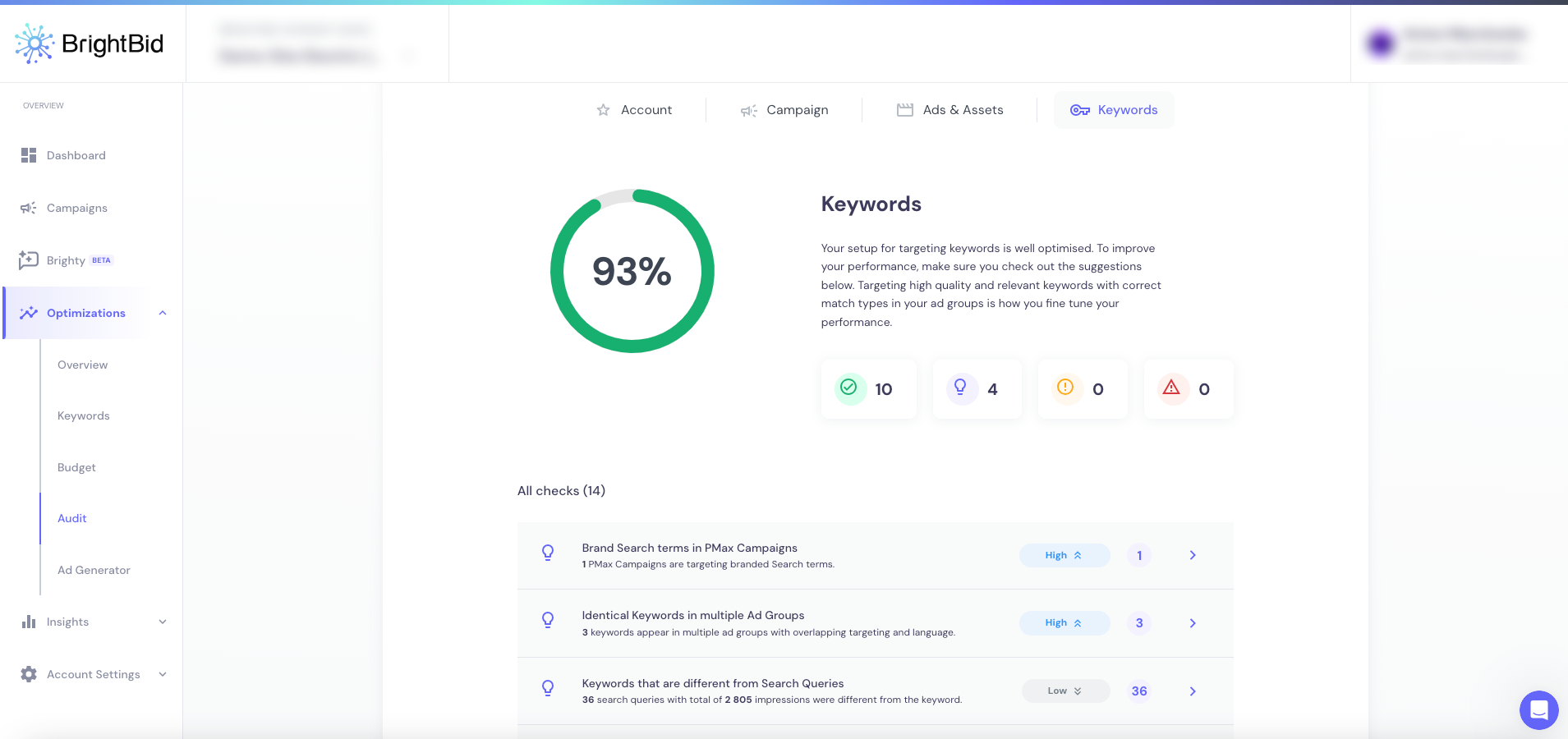
This is where strategy lives. It looks at:
- Keyword intent alignment
- Overlap across campaigns
- Match type optimization
- Broad match waste
- Low Expected CTR or Relevance
Common missed opportunities:
- Using Brand Search terms in Generic campaigns (and vice versa)
- Skipping shared negative lists
- Disapproved keywords quietly bleeding budget
Enhance your PPC campaigns with AI
How BrightBid’s Audit Differs from Google Ads Suggestions
Here’s the twist most marketers miss: Google’s native recommendations often encourage spending more. BrightBid is built to protect ROI.
It flags:
- Campaigns wasting spend due to misaligned bidding
- Conversion setups that mislead algorithmic bidding
- Disapproved or weak assets dragging quality down
Plus, it includes:
- Total account score
- Passed checks archive
- Activity log with transparency on what changed (and why)
Think of it as the grown-up version of Google Ads suggestions—objective, revenue-focused, and tailored to your business logic.
How to Act on the Audit Results
Every BrightBid audit delivers:
- Tailored recommendations
- Urgent issue alerts (if any)
- Step-by-step resolution guides
- Weekly auto-audits with progress tracking
Best practices:
- Fix tracking before tweaking bids
- Streamline conversion goals per campaign
- Add/replace disapproved assets first
- Adjust budget where Impression Share loss is >15%
- Clean up duplicate keywords and match types
Still unsure? Run a second audit after 7 days and compare scores. BrightBid will flag what improved—and what still needs attention.
Audit your ads for free
The Bottom Line
Your BrightBid Audit isn’t just a report. It’s a living map of what’s holding your paid media back—and what to fix next. Most platforms give you a CTR. This gives you a clear roadmap.
Total Score = Signal. Passed Checks = Trust. Optimizations = Action Plan.
BrightBid doesn’t guess. It scans, scores, and tells you where to go from here.
Try your audit today and see what’s really under the hood.
FAQ: Understanding the BrightBid Audit
What is the BrightBid Audit?
The BrightBid Audit is a comprehensive diagnostic tool that checks your Google Ads account across four categories: Account, Campaign, Ads & Assets, and Keywords. It identifies issues, highlights missed opportunities, and provides clear, actionable recommendations to improve performance and ROI.
What does my BrightBid Total Score mean?
Your Total Score (out of 100%) is a weighted summary of your ad account’s overall health. It factors in tracking setup, bidding strategy, asset coverage, and keyword quality. A high score means you’re structurally sound—but doesn’t guarantee performance. The audit shows you where to improve.
How often should I run the audit?
Weekly. BrightBid includes automatic weekly audits so you can monitor progress, catch new issues, and continuously improve your campaigns. You’ll also see a changelog of what’s been fixed or flagged over time
What types of issues does the audit detect?
The audit looks for:
- Disapproved or missing ad assets
- Poor keyword match structure
- Conversion tracking errors
- Budget inefficiencies
- Low quality score signals
- Impression Share loss from rank or budget gaps
Each issue is scored based on severity: High, Medium, or Low.
How is BrightBid’s audit different from Google’s recommendations?
Google Ads suggestions often focus on increasing spend or automation. BrightBid focuses on protecting ROI, improving structure, and fixing strategic errors—like overlapping keywords or missing conversion goals. It also explains why each fix matters.
Do I need to be an expert to use the audit?
No. The audit provides step-by-step guidance, explains the reasoning behind each recommendation, and highlights what’s most urgent. It’s designed for both marketers and PPC professionals.
What happens after I fix the issues?
You’ll see an improvement in your audit scores. More importantly, you’ll reduce wasted spend, improve ad delivery, and set the foundation for better long-term performance. Weekly audits help you track improvements and flag anything new.
Can I try the BrightBid Audit for free?
Yes. You can run a free audit to get a full report on your account’s current state—including Total Score, passed checks, optimization opportunities, and any urgent issues.
Try BrightBid’s interactive demo below 👇
 ” />
” />



 ” />
” />


 ” />
” />